For this year's MetaCPAN Hackathon, I decided I wanted to start turning the CPAN Testers mockup I made 3 years ago into a real, working site. Along the way, I built a much better development environment for CPAN Testers, making it even easier for someone to start working on the project. I also released Mojolicious::Plugin::Moai, a UI widget kit for Mojolicious.
Thanks to cPanel and Booking.com for their continued sponsorship of this event!
I gave a talk this month to Chicago Perl Mongers about the Mojolicious web framework, the Yancy CMS, the PODViewer plugin, and the Mojolicious export command. The talk introduces a simple Mojolicious::Lite application, and adding Yancy to edit the website's content inside the app. Then I explain how to make layout templates, and how to export a dynamic website as static HTML files.
This talk comes from my series of blog posts for the 2018 Mojolicious Advent Calendar: A Website For Yancy, A View To A POD, and You Only Export Twice.
Slides for the talk are available on my website
I use ETL::Yertl a lot. Despite its present unpolished state, it contains some important, easy-to-use tools that I need to get my work done. For example, this week I got an e-mail from Slaven (a CPAN tester and a tireless reporter of CPAN issues found by testing) saying that some records were missing from one the APIs on CPAN Testers: The fast-matrix had 3300 records for the "forks" distribution version 0.36, but the matrix had only 300 records. The utilities in ETL::Yertl made it easy to find and manipulate the data I needed to diagnose this problem.
I made a lot of progress on CPAN Testers at this year's Perl Toolchain Summit (PTS). The PTS is an annual event devoted to maintaining and improving the Perl toolchain. The Perl toolchain includes things like:
For me, this year's Toolchain Summit was wildly productive, and as always, for every task I completed, two new tasks are revealed to take their place. If anyone would like to help, we could use web developers, backend data developers, devops help, API documentation help, and more. There are little tasks to do over a weekend, or big tasks to take ownership of. Contact me at doug@preaction.me and let me know what you'd be interested in.
Before I get into the full report of what I completed at the summit, I'd like to thank all of the sponsors for this event: NUUG Foundation,Teknologihuset, Booking.com, cPanel, FastMail, Elastic, ZipRecruiter, MaxMind, MongoDB, SureVoIP, Campus Explorer, Bytemark, Infinity Interactive, OpusVL, Eligo, Perl Services, Oetiker+Partner. Without sponsorship, this important work could not get done.
I'm happy to announce the release of version 1 of Yancy, a simple content management system for Mojolicious websites. Yancy is designed to be added to your website to make it easier to develop a web application and manage the content inside.
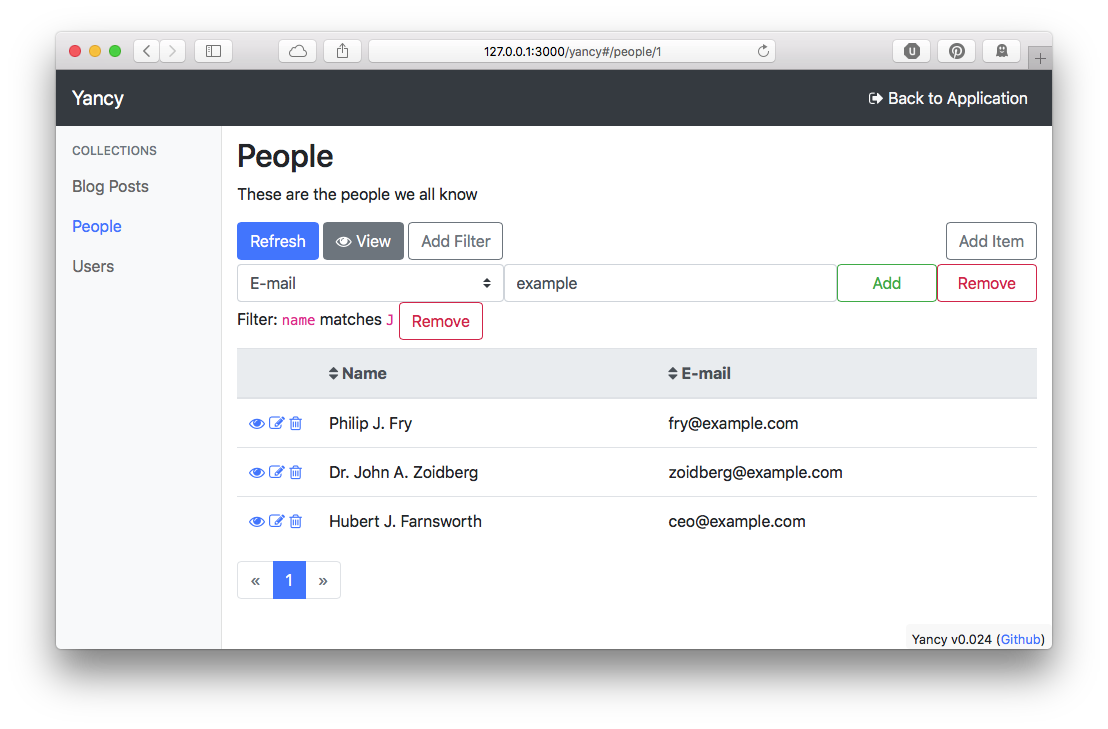
Yancy features a responsive web application that uses your database schema to build forms to edit your site's content. Yancy currently understands databases like Postgres, MySQL, and SQLite, and the DBIx::Class ORM.

